


OpenAI AI Agent Builder: The Game-Changer in No-Code Agent Creation
OpenAI AI Agent Builder: The Game-Changer in No-Code Agent Creation
Estimated reading time: 8 minutes
Key Takeaways
- OpenAI Agent Builder offers a visual, drag-and-drop platform for creating sophisticated AI agents without extensive coding.
- It leverages **nodes** (Agent, Tool, Logic/Control, Data/Transform) to define agent behavior and workflow.
- Features like **templates**, real-time simulation, **Guardrails**, and flexible **deployment options** (ChatKit, SDK Export) accelerate development.
- While “no-code” in principle, intricate agents may still require understanding of **structured data formats** or small code snippets for specific integrations.
- Companies like **Klarna** and **Clay** have seen significant efficiency gains and growth by deploying agents built with this technology.
Table of contents
- OpenAI AI Agent Builder: The Game-Changer in No-Code Agent Creation
- Key Takeaways
- The Core Idea: Visual Workflow Creation (It’s Not Sci-Fi!)
- Getting Started: Templates, No-Code Cons, and Making it Work
- Keeping it Safe and Sound: Guardrails Matter, Real Estate
- Bringing it to Life: Deployment Speed and Track Changes
- Real-World Heat: Klarna and Clay
- Understanding the Pieces: Node Categories and AgentKit
- The Use Cases & Considerations: It’s Making Waves
- Takeaways: The Future is Building Friends (Agents!)
- Frequently Asked Questions
Is there a way to build powerful, multi-step AI agents without writing code? What if you could drag and drop pre-built components (called nodes) to design how your AI assistant works or tackles a specific task? What if you could build a chatbot for customer support or an AI agent that organizes your data – all by clicking buttons, connecting blocks, and watching your agent come to life, rapidly?
Howdy there, fellow explorers of the ever-evolving AI frontier! Today, we're talking about something truly exciting, something at the cutting edge of artificial intelligence: OpenAI Agent Builder, also sometimes called AgentKit. Forget lines upon lines of complex programming for just about everything – we're exploring a tool that's designed, in many ways, that way. We're talking about a visual, drag-and-drop workflow platform, completely integrated into the OpenAI ecosystem (that's the set of tools, models, and services that power ChatGPT and DALL-E, among others), all aimed at one thing: enabling companies and creative minds to design, build, test, and deploy sophisticated AI agents incredibly fast. It's a topic that hits hard because it talks about lowering the barrier to entry and how teams across all sorts of industries are building their own AI-powered helpers. And it's gaining steam quickly. Understanding OpenAI Agent Builder now gives you insight into how AI tools are being democratized and how businesses are automating tasks previously requiring a dedicated team of coders. Let's get started.
The Core Idea: Visual Workflow Creation (It’s Not Sci-Fi!)
Think of OpenAI Agent Builder as a digital assembly line for artificial intelligence. It helps you construct an AI agent – something that can take inputs, understand what you want it to do, use tools (like looking up information on the internet or using internal company data) to perform specific tasks, make decisions, and then send back a helpful output.
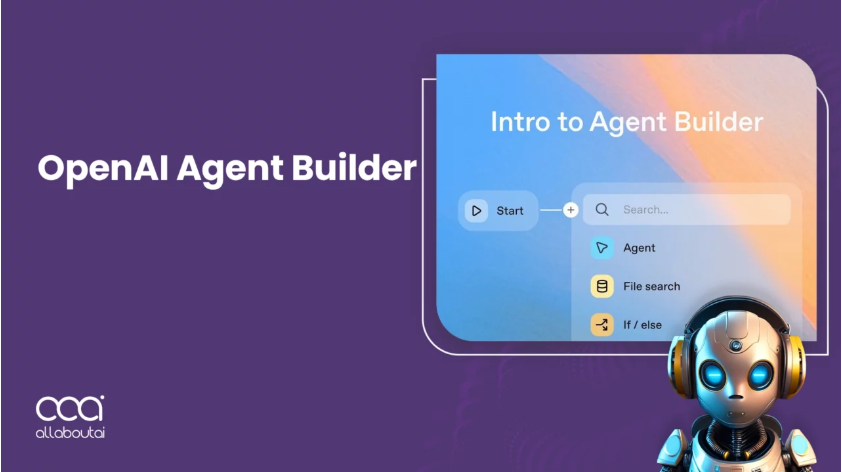
The core, most visible part of Agent Builder is the Visual Workflow Canvas. Forget deciphering convoluted programming code. You simply click on different types of “nodes” – the essential building blocks – from a palette on your left. Then, you drag them onto the central canvas. Imagine setting up a flow like:
- A user asks: “When is my flight from Chicago landing?”
- The AI agent must use information it knows (stored data) about the user's itinerary (if provided).
- Maybe it needs to query a flight database or an airline API to find the current status.
- Then, it needs to understand the airport departure and arrival times and any delays.
- Finally, it uses that information to give the user a clear, concise, friendly response.
In Agent Builder, setting up step 2 or 3 might look like this:
- Dragging a node labeled
[retrieve flight status]onto the canvas. - Connecting that
[retrieve flight status]node to a[respond to user]node, making a clear step-by-step path.
That's the drag-and-drop concept in action. Each node represents a specific function:
- Agent nodes: Essentially, sections where the AI's core thinking and decision-making happens. You might use different Large Language Models (LLMs like ChatGPT) here.
- Tool nodes: These are the connections to the outside world. Think of them as the agent's “arms” and “eyes”. Examples include asking another AI model for analysis, connecting to data stores, retrieving information from the web or specific APIs (like weather APIs or CRM systems), or executing actions like sending emails. Common tools are called things like Vector Search (for finding info in large document libraries) or Retrieval-Augmented Generation (RAG) – a way where the AI uses relevant documents to ground its answers.
- Logic/Control nodes: These make the agent smarter by controlling the flow. If you have a question, maybe the agent needs to check one thing first, then another. Or, maybe the answer isn't clear, and the agent needs to ask for more information. A node called
[router]or[conditional branch]allows you to say: “If person X, do Y. If person Z, do W.” This makes the agent adaptive and context-aware. - Data/Transform nodes: When the agent collects information, what happens to it? Often, you need to organize it, modify it, or record it somewhere. Nodes for things like
[transformer]or[state]can perform those tasks, passing cleaned or restructured data between the agent's logic steps.
So, OpenAI Agent Builder lets you visually stitch these capabilities together, creating a picture of how the AI agent should behave. It eliminates the need to write complex programming code for almost everything, focusing instead on the ‘what' and the ‘how' of the agent's tasks in a simplified interface. It’s designed to bridge the gap so product managers, designers, marketers, salespeople, and even coders who prefer visual design can build intelligent workflows.
Getting Started: Templates, No-Code Cons, and Making it Work
Templates and Rapid Prototyping:
The initial journey into Agent Builder can be faster for those familiar with the visual approach. Some helpful ways the system supports users:
OpenAI provides ready-made examples or “templates” for common types of agents. Professionals can quickly get an idea going by copying an existing template (like a template for simple customer support questions) and tailoring or modifying it. The platform allows real-time simulation, or testing and tweaking the agent in your browser almost instantly or with a very quick refresh, accelerating the process from scratch to a working prototype dramatically. This is why some people might have seen demos building a professional, multi-step AI agent in platforms like Blott in less than an hour – that's one use of the template acceleration.
No-Code-but-with-Caveats aspect:
However, the No-Code-but-with-Caveats aspect is key to understanding its reach and skill level required. While you don't type out standard programming code for fundamental tasks, the magic often lies behind the user interface. Users might need to provide small snippets of code for specific actions – perhaps for integrating with a unique external system your company uses, or for complex logic in determining routing decisions. Furthermore, understanding structured data formats and sometimes input expressions (like CEL – Common Expression Language, a lightweight system used for creating conditions and handling data in Google Cloud services, sometimes involved in OpenAI integrations) becomes relevant to build intricate agents suitable for complex business processes. Electronic data interchanges and APIs are a big part of AI tooling. This means Agent Builder, despite being called “no-code”, isn't for everyone. It covers a wide range: professionals completely unfamiliar with code might use it to build simple agents or tweak provided templates, while engineers or tech-savvy individuals can build more complex systems by sometimes “exporting” the fundamental logic via the OpenAI SDK (Software Development Kit), providing the workflow as code that can fit right into your company’s main programming architecture or tools. This is helpful because companies don't often have standard ways to automate using only visual tools across multiple platforms. So, its best fit is teams collaborating where some members (like product managers) use the visual interface for design, and maybe engineers support with code logic. But fear not – OpenAI offers tons of video tutorials, official guides, and downloadable resources (like the practical guide linked in the research) to help people learn, step-by-step, from zero to deploying a working AI agent. And sites like Blott provide public demos – like covering the MCP tools integration – that help clarify how agents work and what problems they solve. So, it’s not just the product manager – everyone from business users to engineers benefits, as info flows horizontally.
Keeping it Safe and Sound: Guardrails Matter, Real Estate
As important as building the agent is ensuring it’s safe and effective. OpenAI Agent Builder includes special built-in ways to enforce that AI use works properly, especially when customers or regulated businesses are using it: built-in Guardrails for Protecting Data and Content.
These guardrail nodes let you set rules. Are we okay talking and searching on the internet for the user on data that should stay behind the firewall? Should we absolutely ban making up information (halucinations) or swear words? These setups can prevent misuse from happening in the first place, or at least, flag when something goes wrong. It is the safety net for production agents running within a company or for real users.
Bringing it to Life: Deployment Speed and Track Changes
Once the agent has been carefully created and thoroughly tested on the canvas, how do you let others use it? Good news! OpenAI Agent Builder offers several flexible Deployment and Integration options:
- ChatKit: This lets you integrate your hard work into existing chat applications. Think about embedding agent responses directly within your company's internal messaging platform or customer-facing chatbot system. A product called Clay successfully grew because they built a sales agent into their own interface (like a chat or dashboard on their website). Customers building agents might embed functionality into a Slack, Teams, or Discord channel – it's like having a resident AI expert in your collaboration tools.
- SDK Export: What you built visually can often be converted into actual code – the code for the agent's core logic. This means you can take your workflow and run it on your own independent systems or combine it with other automated tools in your existing tech stack. Some companies rely on platforms very specific to their needs – maybe someone built an agent visually but now needs to run it only on their own servers or combine it with a specific data stream that only their infrastructure supports. The export feature gives you that flexibility. For example, Composio has a guide specifically discussing exporting and using the logic with MCP integration.
- Version Control & Rollbacks: As you develop an agent, things change – you improve it, fix problems, or add new features. OpenAI Agent Builder allows you to save different versions. Crucially, you can look back and even “roll back” to an earlier version if a recent change accidentally breaks something important. Think of this as keeping a personal history of your agent's evolution. This is a major benefit area and feature.
Collaboration is another big plus. Agent Builder enables teams to work together more effectively. Different knowledge areas across the company (sales figuring out how to handle meetings, product defining the desired features, engineering understanding the underlying logic needed for complex tasks, legal ensuring compliance) can now contribute directly to building or setting up and configuring these agents. Since changes can be seen and tested quickly (sometimes in under two hours, not months), the whole cycle from idea to implementation is super rapid – often going from weeks or months down to mere hours or days. For example, Blott blogged publicly about teams achieving 10x growth by deploying sales agents fast thanks to the iteration speed Agent Builder provides – teams working there didn't just build one little thing; they built entire processes using AI – radically changing their tempo.
So, let's look at some companies that have already put this technology to work:
Real-World Heat: Klarna and Clay
- Klarna (a company known for things like payment options on online shopping): They built AI support agents using Agent Builder components. And guess what? These automated agents handled a solid two-thirds (around 66%) of the customer support tickets that went through their system – talk about boosting team productivity and efficiency drastically, allowing human agents to focus on more complex queries or customer emotions.
- Clay (developing AI tools generative AI – they have their own interface for chat with documents): Reported 10x growth after deploying a sales agent workflow. That's an absolutely huge jump using Agent Builder, apparently helping their sales team reach more customers or close deals more effectively.
These are just two examples! We imagine a whole host of companies – from large enterprises using AI to manage document review to smaller startup creating decision-making AI advisors – are finding value from OpenAI Agent Builder's capabilities.
Understanding the Pieces: Node Categories and AgentKit
To help untangle what's possible, like what kind of node does what, OpenAI has laid out categories and examples:
| Category | Node Example | Functionality |
|---|---|---|
| Core | Agent, End | LLM operations – where the big brain stuff happens –, finish the workflow |
| Tools | File Search, MCP (Open source tool), Guardrails | Search, integrate with outside APIs or safety checks |
| Logic | If/Else, While, User Approval | Control the flow: make branches based on conditions, do things repeatedly, pause to ask humans |
| Data | Transform, State | Clean, change, or hold data between steps within the workflow – manage data |
Then there's the broader AgentKit ecosystem: OpenAI views Agent Builder as part of a larger set of tools to help manage AI. Alongside Agent Builder, they offer things like AgentKit, which might help you package the toolkit (the set of tools you want to use, sometimes called MCP – Multi-Tool Connectors Package) that your agent can access, making setup more streamlined for the full agent experience. And there’s a Connector Registry, where you can find code or build connectors to tie into external sources that don't quite fit the standard patterns. This means if you need an API that OpenAI haven't built a direct tool for, you might have options to build one yourself using AgentKit principles – essentially, standard OpenAI agent creation patterns designed to work with almost anything you connect.
The Use Cases & Considerations: It’s Making Waves
Another important thing to realize is how this kind of agent is becoming mainstream. Agent Builder is opening doors that were once shut tight. Simple use cases – like answering FAQs automatically in a customer support chat, checking things against rules within a company, or maybe integrating with business software to set up a task automation flow – are being tackled directly. As OpenAI puts it in their summary, Agent Builder significantly cuts the technical difficulties involved in making, testing, and deploying these LLM-based agents. That sounds powerful! Model, you're empowering groups large and small to treat AI as an internal capability, not just a purchased product. But it comes with trade-offs. For really complex projects, teams still find they need reliable skills in data understanding, API design, maybe even some JavaScript or other coding experience, plus careful logging and observability (checking that the AI is actually working right if problems appear). Someone might try Agent Builder first for a basic chatbot – it's easy! Then, as their needs grow, they welcome more skilled engineers onto the project because the building blocks (like tools and logic nodes) become more abstract, but underlying them still involve specific programming needs. Usability and Limitations, essentially, exist but the tool remains focused on doing good work.
So, what does it all mean? OpenAI Agent Builder is a meaningful step forward in AI development tools. It lowers the barrier for businesses and thinkers to create custom agents without needing a village of programmers. We're currently seeing technology like this reshape many industries, from customer support to sales, from HR to content creation. Companies like Klarna and Clay are giving clear proof that skilled or well-designed agents pay off – improving user experiences, growing businesses, boosting efficiency. It’s part of a larger trend: let humans focus on guiding the agent's goals and interpreting its work, and the tools do the heavy lifting. Agent Builder shows this is actively happening on a major AI platform and is shaping an AI-powered future, one interactive agent step at a time.
Takeaways: The Future is Building Friends (Agents!)
OpenAI Agent Builder, often including AgentKit concepts and tools, remains a powerful, evolving piece of the AI puzzle. Here's to harnessing AI effectively and equitably. Companies looking to innovate fast and integrate sophisticated automated task handling might find Agent Builder to be a viable, exciting foundation to start from. Learning more about this technology is an essential requirement, a key component, for thinking about the future of automated work, better interactions, and potentially, everyone's place in the AI revolution. Check out what OpenAI themselves offer in official guides or view their video tutorials linked above – a real adventure awaits.
Frequently Asked Questions
OpenAI Agent Builder (sometimes referred to as AgentKit) is a visual, no-code/low-code platform for designing, building, testing, and deploying complex AI agents using a drag-and-drop interface of various “nodes” within the OpenAI ecosystem.
While designed for no-code development, complex agents might require some understanding of structured data formats, input expressions (like CEL), or small code snippets for integrating with unique external systems. It lowers the barrier to entry significantly but isn't entirely code-free for all advanced use cases.
Nodes are the essential building blocks used on the Visual Workflow Canvas. They represent specific functions such as Agent nodes (for core AI thinking), Tool nodes (for external integrations like APIs or data retrieval), Logic/Control nodes (for decision-making and flow control), and Data/Transform nodes (for organizing and modifying information).
Agents can be deployed through several flexible options: using ChatKit to embed them directly into existing chat applications, or via SDK Export which converts the visual workflow into code that can run on independent systems or integrate with existing tech stacks.
Guardrails are built-in features in OpenAI Agent Builder that allow users to set rules and enforce safe AI use. They help prevent misuse by setting boundaries on content, data access, or output behavior, acting as a safety net for agents in production environments.
2 thoughts on “OpenAI AI Agent Builder: The Game-Changer in No-Code Agent Creation”
Comments are closed.