Total Privacy: Build a Local AI Camera System with No Clo…
Total Privacy: Build a Local AI Camera System with No Cloud Needed
TL;DR – What You’ll Get
- A comprehensive smart living room automation setup focusing on local AI security and privacy.
- Automatic adjustments to lighting, climate, and media based on presence and time of day.
- Integration of trusted devices including Synology’s DiskStation and Reolink’s PoE camera system.
- Setup completed within a few hours, with no cloud dependency or subscriptions.
Why Build a Context-Aware Living Room?
Creating a context-aware living room endowed with local AI home security brings numerous benefits. Comfort is elevated as lighting, temperature, and media adjust automatically to your needs. By intelligently managing these elements, energy consumption decreases, contributing to lower bills and a greener footprint.
The seamless automation reduces daily friction, creating a luxurious living experience that’s guest-proof. Visitors enjoy an environment perfectly tuned without manual intervention. Plus, AI agents running locally ensure your smart home respects your privacy—no data leaves your premises, preserving offline privacy and strengthening security by avoiding cloud vulnerabilities.
Devices Used in This Smart Living Room Setup
Synology 4-Bay DiskStation DS925+ (Diskless)

The Synology DS925+ acts as the nerve centre for local storage in this fully local smart NVR setup. It securely stores all the surveillance footage generated by your smart cameras while enabling rapid access and data management without ever resorting to a cloud service.
- Compact yet powerful NAS for reliable data storage and quick access.
- Supports dual 2.5GbE ports for fast and redundant network connectivity.
- Compatible with Synology’s surveillance solutions, enhancing your offline privacy.
- Provides integrated backup, virtualization, and file management tools.
- Backed by a 3-year limited hardware warranty for peace of mind.
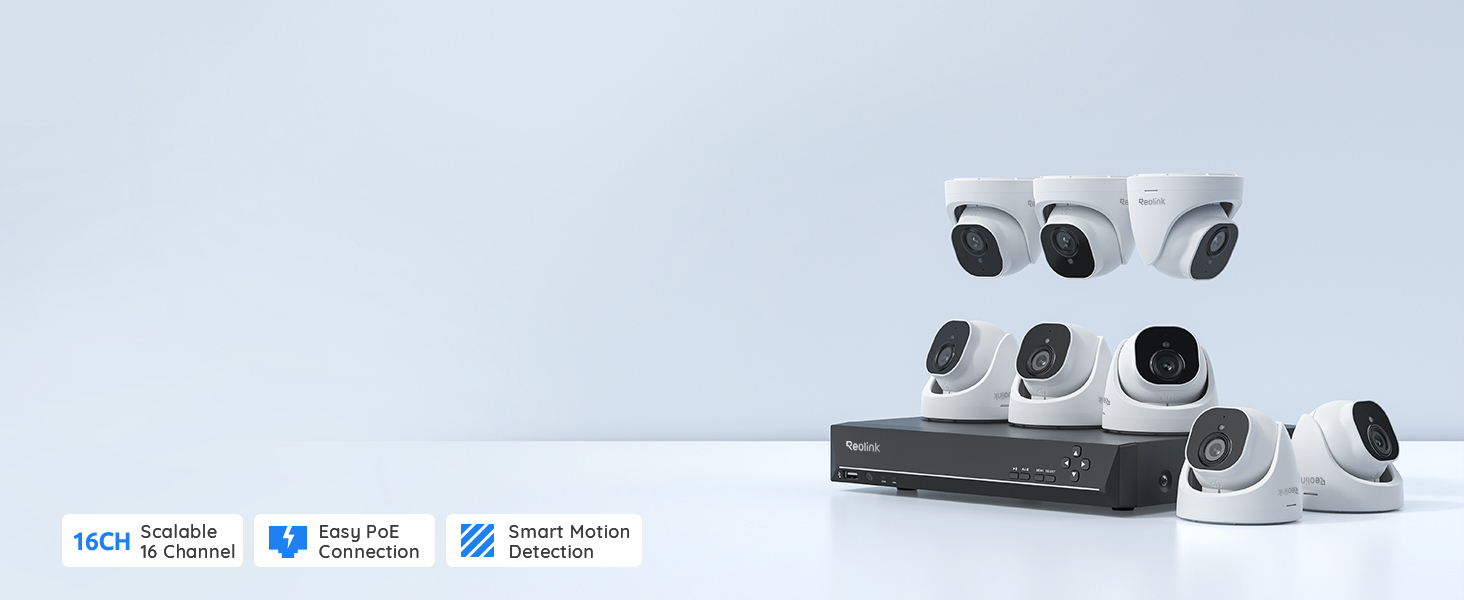
REOLINK 4K PoE Security Camera System Wired, 8pcs 8MP PoE Cameras

This REOLINK system provides ultra-clear, wired smart cameras with NVR capabilities, offering robust security without any subscription fees. Its on-device AI camera capabilities enable person and vehicle detection, reducing false alarms and enhancing real-time awareness.
- Eight 8MP PoE cameras capturing detailed 4K footage for accurate security monitoring.
- Power over Ethernet simplifies installation using a single cable per camera.
- Intelligent detection algorithms run locally to respect your offline privacy.
- Comes with a pre-installed 4TB hard drive for continuous 24/7 recording.
- Remote monitoring supported through free mobile apps without cloud dependency.
How the System Works Together
As you walk into your living room in the evening, the local AI camera system detects motion instantly without sending data to the cloud, triggering an automation routine managed by AI agents running on your network. This routine dims the Philips Hue-style smart lighting to a warm, ambient glow, creating a cozy atmosphere.
Simultaneously, the Nest-style smart thermostat adjusts the temperature based on your preferences, while smart plugs turn on media devices like the Echo Show 8, which begins displaying your evening schedule and media recommendations. All these elements respond contextually, ensuring seamless comfort and privacy.
Step‑By‑Step Setup
Echo Show
- Plug in and connect the Echo Show to your Wi-Fi network.
- Sign in with your Amazon account and configure basic settings.
- Enable smart home skill integrations for controlling lights and thermostats.
- Set up routines to display notifications and media relevant to your schedule.
Philips Hue
- Install Philips Hue bulbs or light strips in the desired locations.
- Set up the Philips Hue Bridge connecting it to your router.
- Download the Hue app and configure lighting zones and scenes.
- Create automation rules based on time, motion, or other triggers.
Nest Thermostat
- Mount the Nest thermostat on a wall in your living room.
- Connect it to Wi-Fi and your HVAC system.
- Configure temperature schedules and energy-saving settings.
- Integrate it with Alexa or other smart home hubs for voice control.
Kasa Plug
- Plug the Kasa smart plug into an outlet near your media devices.
- Connect it to your Wi-Fi network using the Kasa app.
- Assign the plug to a smart home group or routine.
- Use automations to power devices on/off based on triggers like motion.
Aqara Motion Sensor
- Place the Aqara motion sensor in a strategic corner with clear sight of entrances.
- Pair it with the Aqara hub or compatible smart home platform.
- Calibrate sensitivity and detection timings within the app.
- Link motion detection to routines for lighting, media, and thermostat adjustments.
Smart Automation Routines to Create
Evening Relax
Trigger: Motion detected after sunset.
Actions: Dim smart lights to warm hues, adjust thermostat to a cosy temperature, and activate soft music on Echo Show.
Movie Mode
Trigger: Media player powered on via smart plug.
Actions: Lower blinds, dim lights to near darkness, disable motion alerts to prevent distractions.
Morning Wake‑Up
Trigger: Scheduled time or sunrise detected.
Actions: Gradually brighten lights, raise thermostat, display weather and news on Echo Show.
Away / Energy Saver
Trigger: No motion detected for over 30 minutes or manual away mode enabled.
Actions: Turn off lights, reduce thermostat heating/cooling, enable full surveillance recording at high sensitivity.
Real Daily Benefits
- Enhanced security with local AI-powered camera analytics preserving offline privacy.
- Energy savings through intelligent climate and lighting control based on presence and time.
- Reduced manual intervention for setting moods, comfort, and entertainment.
- Greater control and trust without dependence on cloud services or subscriptions.
- Guest-proof automation ensuring consistent and welcoming environment for visitors.
- Scalable system supporting additions or upgrades over time.
Real-Life Example
Meet Emma, a homeowner passionate about technology and privacy. Previously reliant on cloud-based cameras, she worried about data security and monthly fees. After installing a local ai home security system using Synology’s DiskStation and a Reolink PoE camera setup, Emma now enjoys uninterrupted surveillance that respects her offline privacy. Her evenings have transformed: lights gently shift to relaxing hues as she arrives home, the thermostat adjusts to her preferred temperature, and her Echo Show provides seamless entertainment control. The system’s AI agents learn her routine effortlessly, enhancing security while reducing energy bills. For Emma, this upgrade has brought comfort, control, and confidence to her everyday life.
Products Used in This Guide (Quick Reference)
| Product | Role in the System | Best Use | Product Page |
|---|---|---|---|
| Synology 4-Bay DiskStation DS925+ (Diskless) | Local storage and NVR for camera footage | Fully local smart NVR setup with high-speed data management | Link |
| REOLINK 4K PoE Security Camera System Wired, 8pcs 8MP PoE Cameras | AI-powered security cameras with local person and vehicle detection | Smart cameras with NVR capabilities for subscription-free security | Link |