


Google Opal: How Anyone Can Build AI Apps Easily with No Code and Workflow Automation
Google Opal: The AI Revolution is Here, and Now Anyone Can Build an App
Estimated reading time: 12 minutes
Key Takeaways
-
- Google Opal is a no-code AI application builder launched by Google Labs, empowering non-technical users to create AI-powered mini-apps.
-
- Opal combines no-code development with light workflow automation, enabling users to build processes by connecting visual nodes.
-
- The tool is built on the open-source Breadboard framework and integrates seamlessly with Google accounts for collaboration.
-
- Primarily aimed at marketers, salespeople, HR, and business analysts, Opal enables rapid prototyping, content generation, process automation, and productivity enhancement.
- As of December 2025, Opal remains in public beta only in the United States, making it ideal for experimentation rather than mission-critical tasks.
Table of contents
The world of Artificial Intelligence can often feel like a far-off, futuristic city, accessible only to brilliant coders and data scientists who speak the complex languages of Python and C++. For most of us, the idea of building our own AI-powered tool is just a dream. We have the ideas—the brilliant sparks that could solve a daily problem at work or create something fun for our friends—but we lack the keys to the city. What if that's all about to change? What if you could build an AI app just by describing what you want it to do? Get ready, because the walls to that futuristic city are starting to come down. The big news that's buzzing through the tech world this week is Google Opal, an incredible new tool that's putting the power of AI creation into everyone's hands.
In a move that could reshape how we interact with technology, Google has quietly unveiled one of its most exciting experiments yet. Meet Google Opal, an experimental, no-code AI application builder straight from the creative minds at Google Labs (source: lexnetcg.com/blog/google-opal). Imagine being able to create your own mini-apps that use the power of AI simply by using plain English and dragging and dropping blocks on a screen. That’s the promise of Opal. Launched in a public beta in the United States in late July 2025, this tool is Google’s boldest step yet to democratize AI, making app creation a reality for marketers, salespeople, business owners, and anyone with a great idea, regardless of their technical skills (source: baytechconsulting.com/blog/google-opal-what-is-it-2025). This isn't just another piece of software; it's a key that unlocks a new world of creativity and problem-solving. In this deep dive, we'll explore everything you need to know about the game-changing Google Opal, from how it works its magic to how you might be able to use it to build the future, one simple idea at a time.
What Exactly Is Google Opal? The App Builder for the Rest of Us
So, what is this new creation from Google Labs? At its core, Google Opal is a fascinating mix of two powerful concepts: it's a hybrid no-code mini-app builder and a light workflow automation tool (source: whytryai.com/p/google-opal). Let's break down what that means in simple terms.
First, let's talk about “no-code.” For decades, if you wanted to create a computer program or an application, you had to learn a programming language. This was like needing to learn how to be a car mechanic just to design your own dream car. No-code platforms completely change this. They provide you with pre-built pieces, like LEGO bricks, that you can snap together to build something amazing. You don't need to know how each brick is made; you just need to know how you want to put them together. Opal is exactly like this, but the bricks are super-powered AI abilities.
Second, let's look at “workflow automation.” This sounds technical, but it’s something you already understand. A workflow is just a series of steps you take to get something done. Your morning routine is a workflow: wake up, brush your teeth, get dressed, eat breakfast. Automation means getting a robot or a computer to do that series of steps for you. Opal allows you to build digital workflows that handle tasks for you. For example, you could design a workflow that finds a news article, summarizes it, and then emails the summary to your team.
Google Opal brilliantly combines these two ideas. The platform can take a simple instruction you type in plain English—your app idea—and magically transform it into a visual, multi-step workflow without you ever needing to write a single line of code (source: baytechconsulting.com/blog/google-opal-what-is-it-2025). It’s a revolutionary approach that opens the door for millions of people who understand business problems but don’t have the coding background to solve them with technology.
How It Works: A Peek Under the Hood of Google Opal
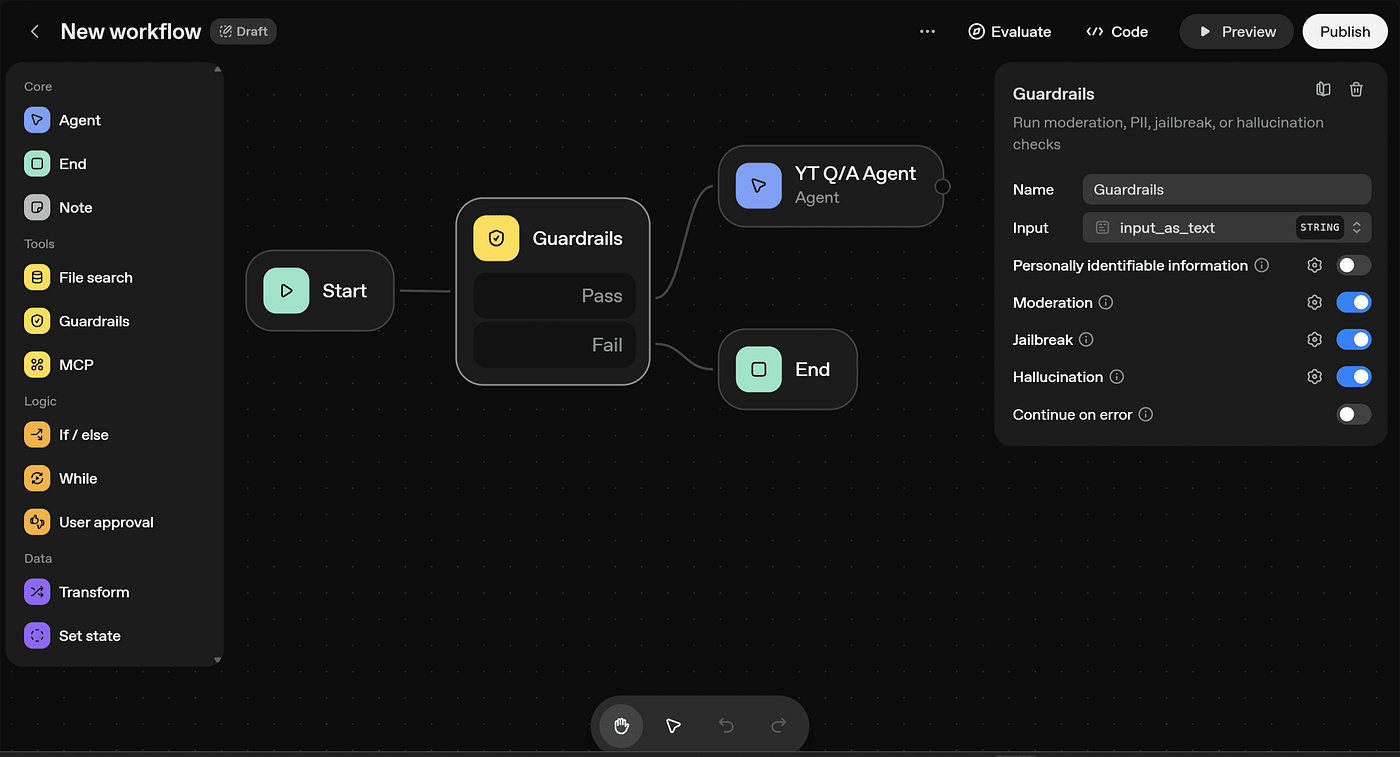
This is where the real excitement begins. How does Google Opal turn a simple sentence into a functioning app? The process is as visual as it is powerful. When you describe your idea to Opal, it doesn't just give you a finished product. Instead, it lays out the entire process for you as a beautiful diagram of connected bubbles, or “nodes” (source: baytechconsulting.com/blog/google-opal-what-is-it-2025). Each node in this diagram represents one specific step in your app’s journey from start to finish.
Imagine you told Opal, “I want to create an app that takes a topic, finds a cool picture for it, and writes a social media post about it.” Opal would spring to life and build a visual map for you. It might have a starting node where you type in the topic, connected to another node that searches the web for an image, which is then connected to a node that writes the text for the post, and finally, an output node that shows you the finished result.
The builder’s workflow is cleverly organized into several main categories of these nodes, or steps (source: lexnetcg.com/blog/google-opal):
-
- User Input: This is the starting point. This node is where the app asks for information from the person using it. It could be a text box for a user to type in a question, a button to upload a file, or a field to paste a website link. This is how your app gets the raw materials it needs to work.
-
- Generate: This is the heart of your Opal app. The Generate nodes are the engine room where all the AI magic happens (source: whytryai.com/p/google-opal). These are the most powerful and exciting nodes. A Generate node can perform an incredible variety of tasks, like crawling a website to read its content, analyzing a large document to find the key points, or generating brand new content. This could be anything from writing a paragraph of text, creating a stunning image from a description, composing a piece of audio, or even generating a short video clip. This is where multiple AI models are chained together to do the heavy lifting.
-
- Output: This is the grand finale. The Output node is where your app presents its finished work. It could display the generated text, show the newly created image, or provide a button to download an audio file. It’s the final result of all the previous steps working together.
- Add Assets: This category allows you to add extra elements to your app, like your company's logo, a specific image you want to use every time, or a piece of background music. It helps you personalize your creation.
The true beauty of Opal is that you are in complete control. Once Opal creates the initial diagram of nodes, you can become the director of your own app. You can tweak the instructions inside each node, you can drag them around to change the order of the steps, or you can even add new nodes to make your app more powerful and tailored to your exact needs (source: whytryai.com/p/google-opal). This hands-on, visual approach makes app creation feel less like complicated engineering and more like creative fun.
The Secret Sauce: Built on Breadboard and Integrated with Google
Every great invention has a strong foundation, and for Google Opal, that foundation is called Breadboard. Opal was built with Breadboard, which is an open-source project created by a Google employee named Dimitri Glazkov (source: lexnetcg.com/blog/google-opal).
What does “open-source” mean? Think of it like a community recipe book. When a chef makes a recipe open-source, they share it with the whole world. Other chefs can then use the recipe, suggest improvements, and even add their own twists. This collaboration makes the recipe better and better over time. Breadboard is like that for building AI applications; it’s a shared framework that allows for the creation of sophisticated, visual tools like Opal. It’s the powerful but hidden technology that enables Opal’s amazing visual editing and node-based system to work so smoothly.
Beyond its technical foundation, one of Opal’s biggest strengths is its deep connection to the Google world you already know. The platform integrates seamlessly with Google accounts. This means you can get started in seconds with your existing login, and all the mini-apps you create are tied to your account. This integration is key for teamwork. It allows you to create, share, and collaborate on your mini-apps with colleagues and friends around the world, all within the familiar and secure Google ecosystem (source: baytechconsulting.com/blog/google-opal-what-is-it-2025). Imagine building a tool and instantly sharing it with your team through Google Workspace, just like you would a Google Doc or Sheet. This built-in connectivity makes Opal not just a powerful builder, but a powerful collaboration tool as well.
Who is Google Opal For? (Hint: It’s Probably You)
Google has been crystal clear about who they built Opal for. This isn't a tool for the elite coding wizards. Instead, Opal is explicitly designed for non-technical professionals (source: baytechconsulting.com/blog/google-opal-what-is-it-2025). This includes people like:
-
- Marketers who want to quickly build a tool to generate creative ad copy or social media posts.
-
- Salespersons who need a mini-app to summarize long client emails and suggest a reply.
-
- HR Coordinators who could create a simple tool to scan resumes for important keywords.
- Business Analysts who want to build a prototype of a new data analysis tool to show their team.
Opal is for the “citizen developers”—a wonderful term for people who are experts in their own field, understand their business's problems inside and out, but just lack the formal coding skills to build a digital solution. Opal bridges that gap. It empowers these experts to become creators.
The platform's main power lies in its incredible speed and ability to let you try out new ideas quickly. This leads to some truly transformative uses for businesses (source: baytechconsulting.com/blog/google-opal-what-is-it-2025):
-
- Rapid Prototyping & Proofs of Concept: In a traditional company, if you have an idea for a new app, it could take weeks or even months for the IT department to build a basic version. With Opal, a team can build a functional, interactive prototype in just a few minutes or hours. This allows them to test their ideas, get feedback, and make changes almost instantly.
-
- Custom Content Generation: Every business needs content. Opal allows teams to build their own personalized content machines. Imagine an app that takes your company’s latest press release and automatically turns it into a blog post, a series of tweets, and a script for a short video. That's the power of custom content generation with Opal.
-
- Process Automation: Many jobs involve boring, repetitive tasks. Opal is perfect for automating these multi-step business processes. From sorting customer feedback to generating weekly reports, you can build a mini-app that does the busywork for you, freeing you up to focus on more important, creative tasks.
- Productivity Enhancement: Ultimately, all these uses lead to one thing: a massive boost in workplace productivity. By allowing anyone to build custom AI apps that solve their specific problems, Opal can make entire teams faster, smarter, and more efficient.
One of the most exciting concepts that Opal brings to life is the idea of “seatbelt apps” (source: lexnetcg.com/blog/google-opal). What’s a seatbelt app? Think about a real seatbelt in a car. It's a very simple, low-cost feature, but it provides a huge amount of benefit and safety. A “seatbelt app” is the same idea for business. It's a small, low-cost application that you can build quickly in Opal that solves a specific problem and provides a massive benefit. It might be a simple tool that double-checks reports for errors or an app that automatically reminds team members about deadlines. They are small solutions with a big impact, and Opal makes it possible for anyone to create them.
The Fine Print: This is Still an Experiment
With all this incredible power and potential, it’s important to remember one key thing: Google Opal is still very new. As of December 2025, Opal is only available as a public beta exclusively in the United States (source: baytechconsulting.com/blog/google-opal-what-is-it-2025). The word “experimental” is not just a label; it has real-world consequences, especially for businesses thinking of using the tool.
Being an experiment means that there are no guarantees. There are no enterprise-grade Service Level Agreements (SLAs), which are promises that a service will be available and working a certain amount of the time. There are no dedicated support channels if something goes wrong. And most importantly, there is no guarantee that Opal will be around forever or that it will continue in its current form (source: baytechconsulting.com/blog/google-opal-what-is-it-2025).
Features might appear one day, change dramatically the next, or disappear completely with very little warning. This is part of the process of experimentation. Therefore, it's wise to view Google Opal as a fantastic opportunity for research and development, not as a stable platform to run your most important, business-critical processes on. Think of it as a sandbox for innovation—a place to play, learn, and prototype the future, rather than a foundation to build your company’s castle on just yet.
Sharing is Caring: Teamwork and Collaboration in Opal
An idea is powerful, but a shared idea is revolutionary. Google understands this, which is why they’ve built collaboration right into the DNA of Opal. Once you’ve built your mini-app and you're happy with it, you can easily share it with others. Anyone you share it with can access and use your app with their own Google account (source: developers.googleblog.com/en/introducing-opal). This makes it incredibly simple to distribute a new tool across your entire team or company.
To make getting started even easier, Opal features a demo gallery full of starter templates. These are pre-built apps that you can use right away or, even better, “remix” to fit your own specific needs (source: developers.googleblog.com/en/introducing-opal). Remixing is a fantastic concept. It's like being given a finished painting and then being allowed to change the colors, add new figures, or alter the background to make it your own. You can take a template that's close to what you need, look at how it was built with the different nodes, and then tweak it until it's perfect. This not only saves a huge amount of time but also serves as a brilliant way to learn how to build more complex apps by deconstructing how the experts did it. This focus on sharing and remixing helps knowledge spread quickly, accelerating how fast teams can adopt and benefit from this new technology.
The Bigger Picture: What Google Opal Means for the Future
While Google Opal is an amazing tool for users, it also serves a very important strategic purpose for Google itself. By releasing Opal to the public, Google is essentially running a massive, real-world research project. They are collecting incredibly valuable data on how non-developers think about and approach the creation of AI applications (source: baytechconsulting.com/blog/google-opal-what-is-it-2025).
Every time a user builds an app, Google learns something new. They learn what kinds of problems people are trying to solve, what AI tools are most popular, and where people get stuck. This information is priceless. It will directly influence and inform how Google develops its more mature, professional-grade AI platforms in the future. In this way, Opal is both a product and a research initiative. The people using it today are not just building apps; they are pioneers helping to map out the future of democratized AI development.
Conclusion: A New Era of Creation Begins
Google Opal is more than just a new tool; it's a statement. It's Google declaring that the power of AI should not be locked away in an ivory tower, accessible only to a select few. It’s a bold step towards a future where anyone with a problem can also be the one to build the solution. By transforming complex AI capabilities into simple, visual building blocks, Opal is tearing down the barriers that have stood between great ideas and their creation for far too long.
While it is still in its early experimental stages and limited in availability, the promise of Google Opal is undeniable. It represents a fundamental shift in who gets to be a creator in the digital world. For businesses, it offers a new way to innovate at lightning speed, empowering their employees to build the exact tools they need. For individuals, it offers a playground for the imagination, a place to bring AI-powered ideas to life without writing a single line of code.
The journey of a thousand miles begins with a single step, and Google Opal may well be one of the most important first steps in our journey toward a world where technology truly serves everyone. The age of the citizen developer is here, and it’s going to be incredibly exciting to see what we all build.
Frequently Asked Questions
What is Google Opal?
- Google Opal is a no-code AI application builder developed by Google Labs that allows users to create AI-powered mini-apps using plain English descriptions and drag-and-drop visual workflows.
- Who can use Google Opal?
- Opal is designed primarily for non-technical professionals such as marketers, salespeople, HR coordinators, and business analysts who want to build custom AI tools without coding.
- Is Google Opal available worldwide?
- As of December 2025, Google Opal is available only as a public beta in the United States.
- Do I need a Google account to use Opal?
- Yes, Opal integrates with Google accounts for login, collaboration, and sharing mini-apps within the Google ecosystem.
- Is Google Opal suitable for mission-critical business tasks?
- No, since Opal is still experimental and lacks enterprise SLAs or dedicated support, it’s best used as a prototyping and creative tool rather than a stable production platform.