


Smart Protection Under $300: DIY Home Security Setup
Smart Protection Under $300: DIY Home Security Setup
TL;DR – What You’ll Get
- A complete smart living room automation setup focused on security and comfort.
- Automatic adjustment of lights, climate, and media based on your presence and routines.
- Integrated devices including the WYZE Cam v4 and SwitchBot Door Alarm Contact Sensor for round-the-clock protection.
- An easy DIY installation process, optimised for installation under an hour.
Why Build a Context-Aware Living Room?
Creating a context-aware living room means your home reacts intelligently to you and your environment. This leads to enhanced comfort, reduced energy consumption, and less daily friction. Imagine a home that turns lights on at dusk, lowers the thermostat when you’re away and keeps guests impressed with seamless automation—all without constant manual intervention.
Beyond convenience, these AI agents and smart automation routines build a layer of security that’s guest-proof and highly adaptive. With low-cost smart cameras and door sensors in play, your home stays protected while you enjoy a luxury feel normally reserved for high-end smart homes.
Devices Used in This Smart Living Room Setup
WYZE Cam v4 (Latest Model), 2.5K AI Security Camera, Indoor/Outdoor Cameras for Home Security

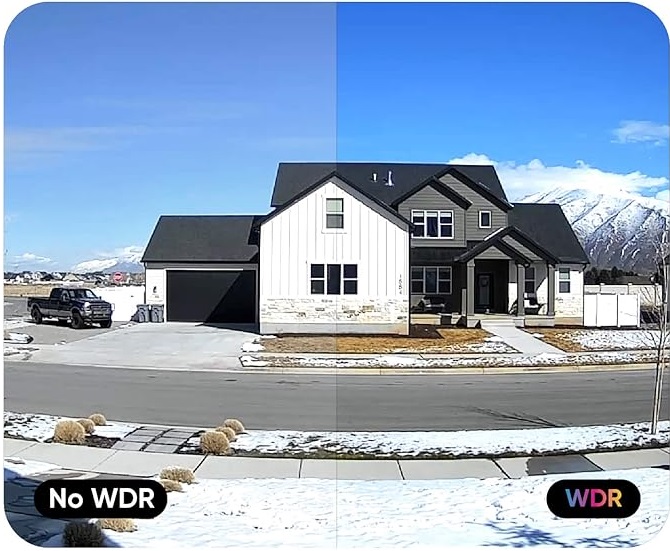
The WYZE Cam v4 acts as the visual watchdog of your smart living room, delivering crystal-clear 2.5K resolution footage both day and night. Its AI-driven motion detection ensures only meaningful alerts, reducing false alarms. Integrated two-way audio lets you communicate remotely, while its weather resistance allows placement indoors or outdoors for comprehensive coverage.
- High-resolution 2.5K QHD video for detailed monitoring
- Colour night vision for clear images in darkness
- IP65 weather resistance for versatile indoor/outdoor use
- AI-powered motion detection with spotlight and siren
- Two-way audio communication via built-in microphone and speaker
SwitchBot Door Alarm Contact Sensor- Smart Home Security
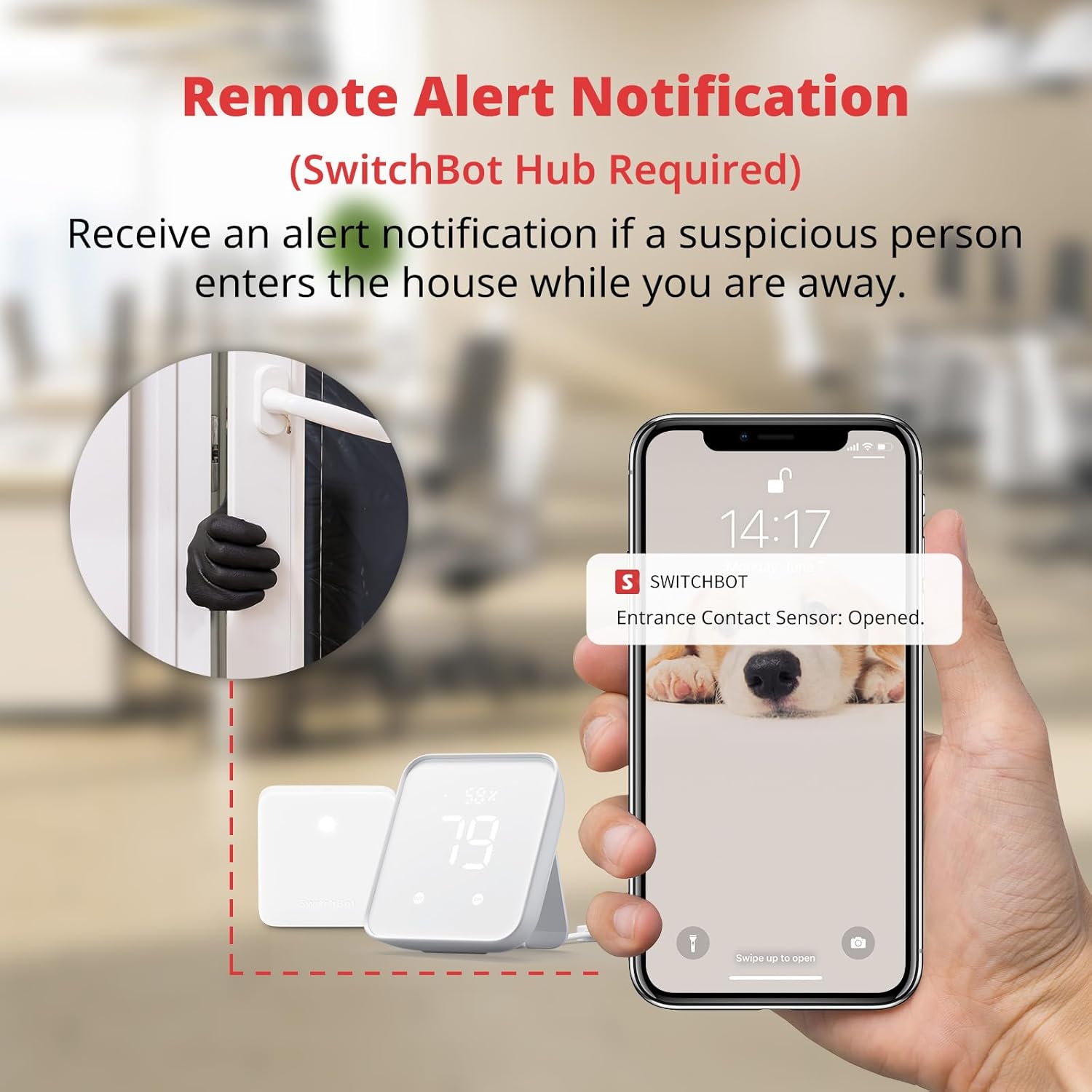
The SwitchBot Door Alarm Contact Sensor enhances your diy smart home protection by monitoring door and window status. It adds an intelligent layer of safety by triggering alerts on unauthorised access and automating lighting via its integrated light sensor. Perfect for vulnerable family members, it is a compact yet vital part of your home’s smart security ecosystem.
- Monitors door and window opening and closing with precision
- Built-in light sensor activates lights through linked SwitchBot Bots
- Ideal for protecting children, elderly, and pets
- Magnetic alignment within 1.2 inches (30mm) ensures reliable operation
- Seamlessly integrates with AI-powered home routines
How the System Works Together
On a typical evening, as you enter the living room, the motion sensor detects your presence and triggers a smart routine. The ambient Philips Hue lighting adjusts to a warm, relaxing colour temperature, while the Nest thermostat sets the ideal cosy temperature automatically. The WYZE Cam v4 remains vigilant both indoors and outside the home, alerting you only when AI agents identify genuine motion events.
If a door or window is opened unexpectedly, the SwitchBot Door Alarm Contact Sensor instantly alerts the system, activating lights and sending notifications to your mobile device. Meanwhile, the Echo Show smart display provides real-time status updates and voice control for effortless interaction. Together, these devices create a seamless, intelligent security and comfort experience.
Step‑By‑Step Setup
Echo Show
- Plug in your Echo Show and connect it to your Wi-Fi network.
- Sign in to your Amazon account and complete initial voice setup.
- Enable smart home skills for your connected devices (e.g., SwitchBot, Philips Hue).
Philips Hue
- Install Philips Hue bulbs and set up the Hue Bridge.
- Connect Hue Bridge to your Wi-Fi router.
- Use the Hue app to create rooms and define lighting scenes.
- Link Hue with Echo Show for voice control and routines.
Nest Thermostat
- Turn off your HVAC system power, remove your old thermostat, and install the Nest according to instructions.
- Power on the Nest thermostat and connect it to Wi-Fi.
- Configure basic temperature settings and link Nest to your Google or Amazon account.
Kasa Plug
- Plug in the Kasa Smart Plug into a power outlet near your devices.
- Download and open the Kasa app to add the plug and connect it to Wi-Fi.
- Integrate the Kasa Plug with Echo Show for voice and routine control.
Aqara Motion Sensor
- Place the Aqara Motion Sensor in a corner with a clear view of your entrance or key areas.
- Pair it with your home automation hub or directly with linked AI systems.
- Configure motion-triggered automation such as lighting changes or alerts.
Smart Automation Routines to Create
Evening Relax
Trigger: Motion detected in living room after sunset.
Actions: Dim Philips Hue lights to warm tone, set Nest Thermostat to comfortable temperature, start relaxing playlist on Echo Show.
Movie Mode
Trigger: “Alexa, movie time” voice command.
Actions: Turn off overhead lights, activate Hue bias lighting behind TV, lower blinds, and set thermostat cooler.
Morning Wake‑Up
Trigger: Alarm time or sunrise simulation.
Actions: Gradually brighten Hue lights, adjust thermostat to warmer setting, start morning news briefing on Echo Show.
Away / Energy Saver
Trigger: All residents leave home detected via smartphone location or no motion for a set period.
Actions: Turn off all lights, reduce thermostat energy usage, arm WYZE Cam v4 to alert mode.
Real Daily Benefits
- Automated lighting and temperature adjustment for comfort and energy saving.
- Instant alerts for suspicious door/window activity via SwitchBot sensors.
- Clear, AI-powered video monitoring with WYZE Cam v4 night colour vision.
- Hands-free control and status updates through Echo Show voice commands.
- Scaled, no-subscription system ideal for apartments and small homes.
Budget vs Premium Paths
Building a smart home security system can suit various budgets. Here’s a quick breakdown:
- Budget ($100–$300): Basic DIY pack with devices like WYZE Cam v4 and SwitchBot Door Sensors; no monthly fees; smart but limited integrations.
- Mid-Range ($300–$700): Adds Philips Hue lighting, Echo Show, smart plugs, Nest Thermostat; improved integration and comfort alongside security.
- Premium ($700+): Adds comprehensive security systems, AI agent based routines, advanced cameras, professional automation hubs, and paid monitoring services.
Real-Life Example
Meet Sarah, a young professional living in a cosy city apartment. Concerned about safety without breaking the bank, she chose the best DIY security system under $300. After installing the WYZE Cam v4 outside and in the living room, and setting up SwitchBot sensors on her main door and balcony, Sarah configured simple automation routines using her Echo Show. Now, she feels safer when away and enjoys a warmer, more comfortable living space supported by intelligent heating adjustments. The no-subscription setup means fewer bills and more control, while motion-triggered lighting saves energy and enhances everyday convenience.
Products Used in This Guide (Quick Reference)
| Product | Role in the System | Best Use | Product Page |
|---|---|---|---|
| WYZE Cam v4 (Latest Model) | AI-powered video monitoring indoor/outdoor | Round-the-clock home surveillance with clear night vision | View product |
| SwitchBot Door Alarm Contact Sensor | Door and window status monitoring with alarm and light automation | Immediate alerts on entry and automated lighting control | View product |
Ready to Build Your Context-Aware Living Room?
Starting your journey towards a smart, secure, and comfortable living space has never been easier or more affordable. Begin with core devices like the WYZE Cam v4 and SwitchBot Door Alarm Contact Sensor to ensure safety. Gradually add smart lighting, thermostats, and voice assistants to create a truly context-aware environment powered by AI automation.
Explore our featured products and detailed guides to build a personalised system tailored to your lifestyle and budget. Embrace the convenience and peace of mind that comes with intelligent home protection under $300.